




Bring SAP work into Microsoft Teams

Give people the information and actions they need, in the place they already work. Looply brings SAP approvals, notifications and business process interactions into Microsoft Teams — while SAP remains the system of record.
- SAP Clean Core Certified
- Coupa Platform Ready
WHY LOOPLY
SAP runs the process. People still have to act.
SAP can route work correctly, enforce rules and maintain the system of record. But managers and occasional users often work somewhere else — in Teams, email and meetings. Looply brings the moment of action to them.
Work waits for attention
Tasks can sit in SAP inboxes until someone notices them and logs in.
Email separates alert from action
A notification arrives in one place, while the information and decision sit somewhere else.
Occasional users don’t live in SAP
Managers may only act a few times each month. They should not need to navigate SAP just to make a decision.
Decisions need context
Users need the right business information in front of them, not just a generic approval request.
WHAT YOUR PEOPLE SEE
Everything they need to act. Right inside Teams.
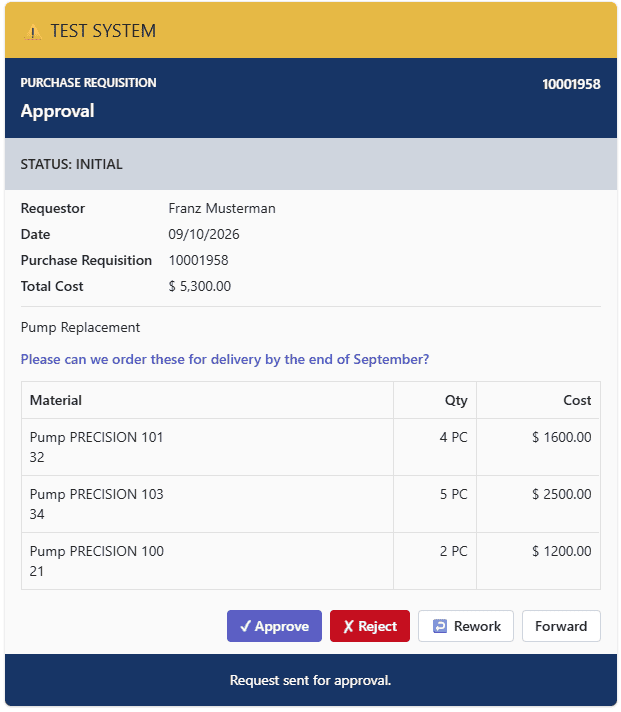
Approvals, alerts and business process actions arrive as interactive Looply cards in Microsoft Teams — on desktop or mobile — with the information and actions users need to respond.
FINANCE
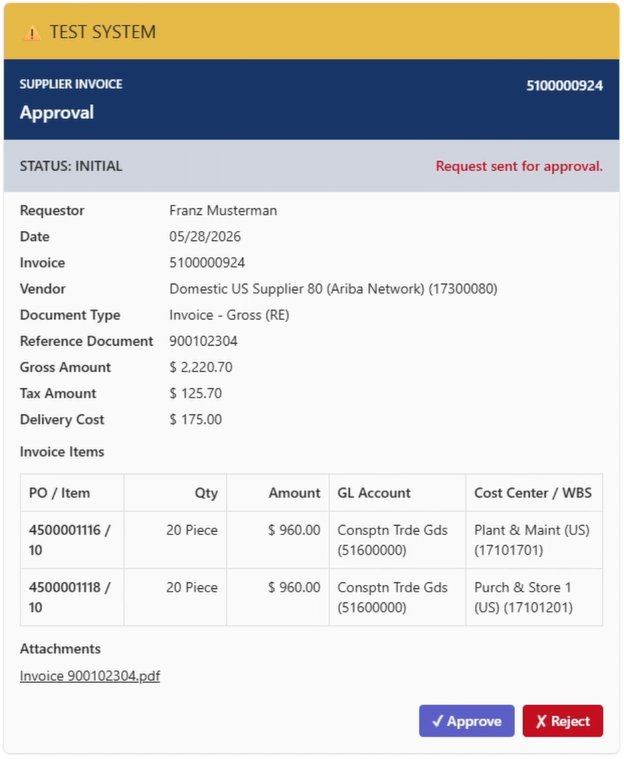
Supplier Invoice Approval
Invoice details, reference document information and attachments.
MASTER DATA
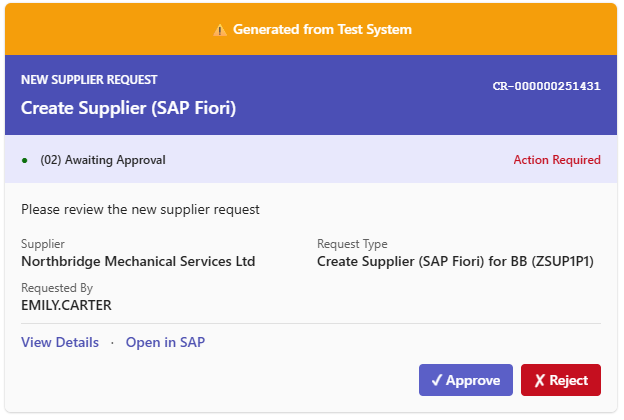
Master Data Request Approval
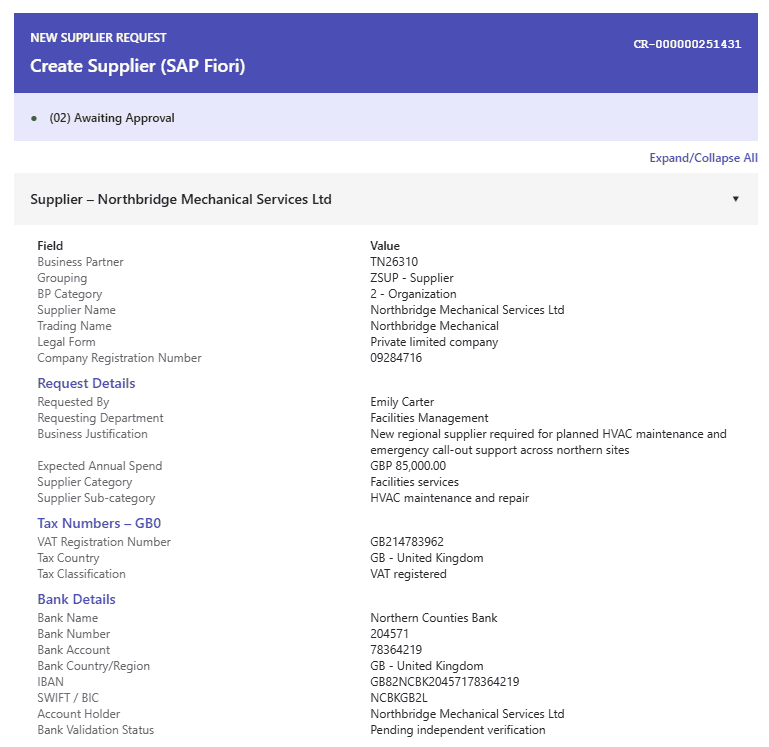
MDG Change Request summary with detailed information about the proposed change.
GOVERNANCE
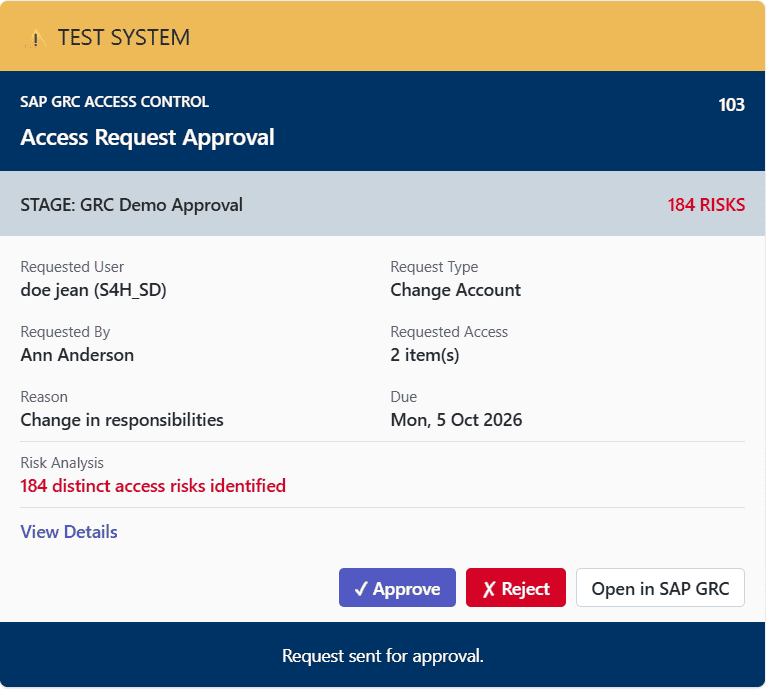
Access Request Approval
User and role details, risk summary and link to the SAP GRC approval app.
Cards can update as the underlying process changes, so users see the latest status rather than a static notification.
HOW LOOPLY WORKS
Bring the moment of action to the user
Looply connects enterprise events with the people who need to respond. It gathers the right context, presents it in Microsoft Teams and sends the resulting action back to the source process.
SAP requires attention
An SAP event or workflow step reaches a point where somebody needs to act.
Looply is triggered
Looply starts the appropriate workflow from the event or integration trigger.
Looply gathers context
Relevant SAP information and data from other systems is assembled where appropriate.
The user acts in Teams
The user reviews the information and submits the required action through the Looply card.
SAP continues the process
he decision or data is written back, and the existing SAP process continues.
SAP stays in control.
Looply changes where people interact with the process — not where the process is governed.
WHAT CHANGES
Less chasing. Faster action. Better decisions.
By bringing SAP work into Microsoft Teams, Looply reduces the friction between a business process and the people who need to respond.
Process acceleration
Bring work to users in Teams so business processes keep moving instead of waiting for people to return to SAP.
Better decisions
Give users the transaction data, supporting information and wider business context they need to make informed decisions.
Process transparency
Keep actions, status and progress visible so users and stakeholders can see what is happening without chasing updates.
Greater user effectiveness
Let managers and occasional users interact with SAP business processes through a familiar Teams experience, without switching to SAP.
Reduced risk
Reduce missed actions, outdated information and poorly informed decisions while retaining the underlying SAP process controls.
USE CASES
One platform. Many business processes.
Looply can extend many different SAP business processes into Microsoft Teams. Start with one high-friction process, prove the value, then expand across other areas.
Purchasing
Bring purchase requisitions, purchase orders and supplier-related approvals into Teams with the business context users need to act.
Finance
Support supplier invoice approvals, journal verification and other finance processes where timely action and clear context matter.
Master Data
Extend SAP MDG and other master-data processes into Teams, including change requests, supplier onboarding and business partner changes.
HCM
Bring employee approvals, data validation, leave and time-related processes into the Teams experience managers already use.
Governance & Compliance
Support access reviews, policy acknowledgements, risk-related approvals and other controlled business processes.
SAP Inbox & Notifications
Surface actionable SAP work in Teams, including inbox replication, notifications, process updates and outstanding actions.
THE LOOPLY PLATFORM
Build once. Adapt as your processes change.
Looply is a managed cloud platform providing the tools to design, orchestrate and manage the complete Teams experience — from the workflow behind the process to the Adaptive Card the user sees.
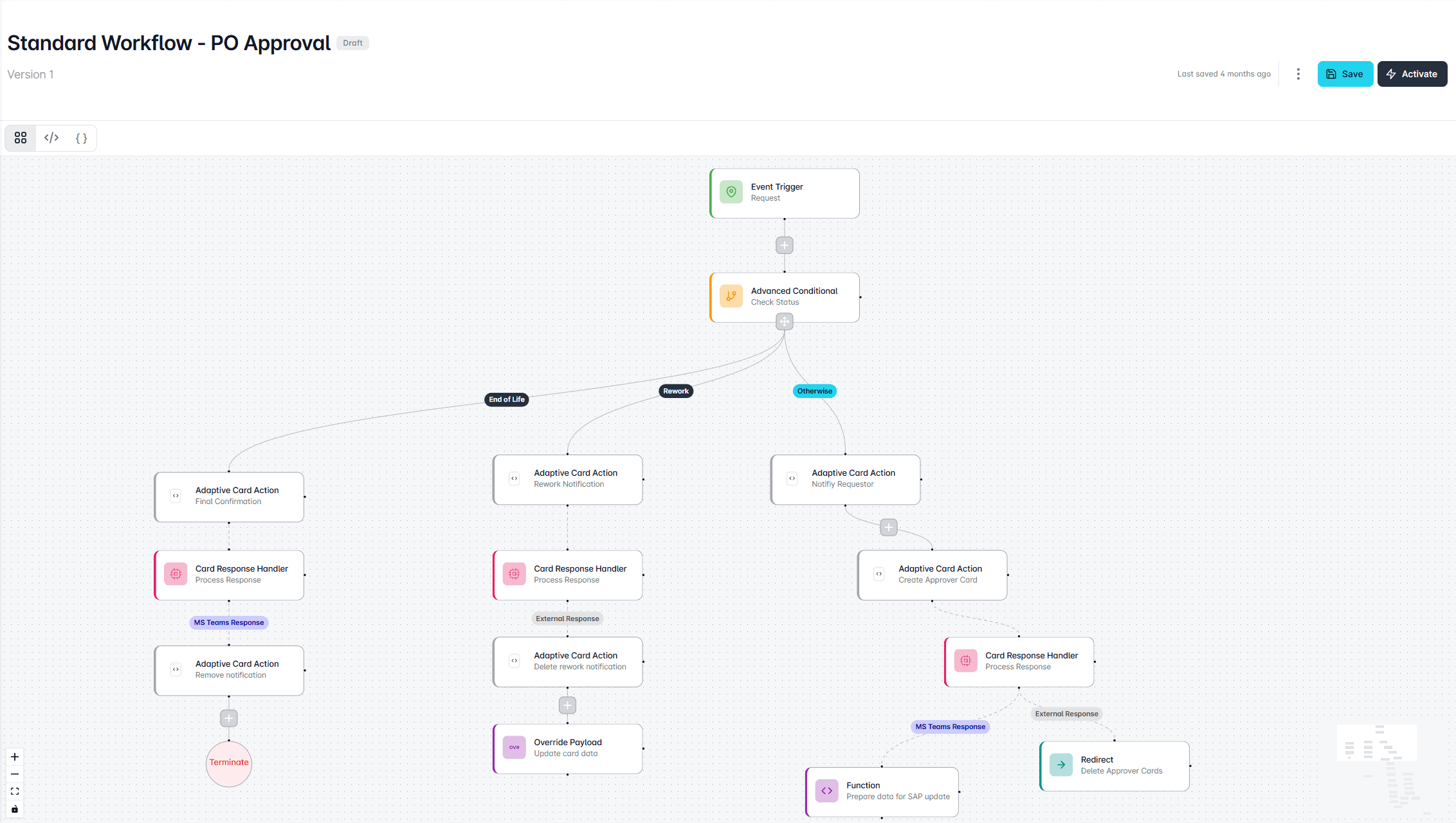
WORKFLOW STUDIO
Orchestrate the business process
Use triggers, conditions, branches and actions to define how Looply responds to enterprise events and routes work to the right users.
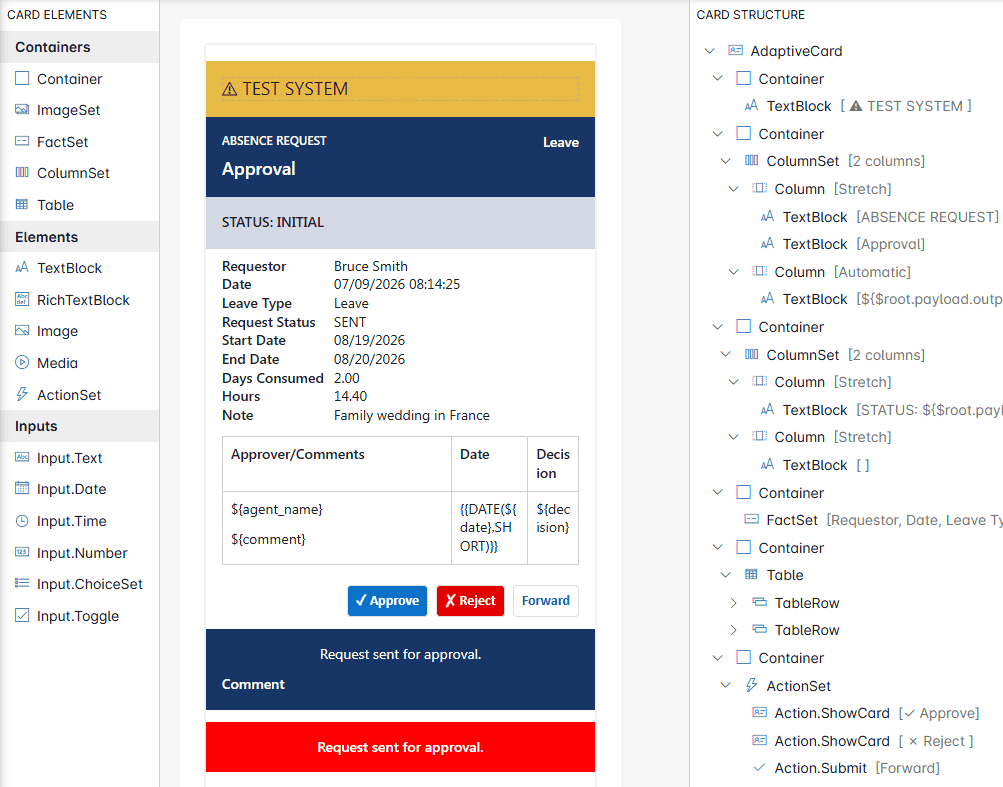
TEMPLATE DESIGNER
Build the card and see it live
Design Adaptive Cards visually, bind enterprise data and use AI assistance to accelerate card creation.
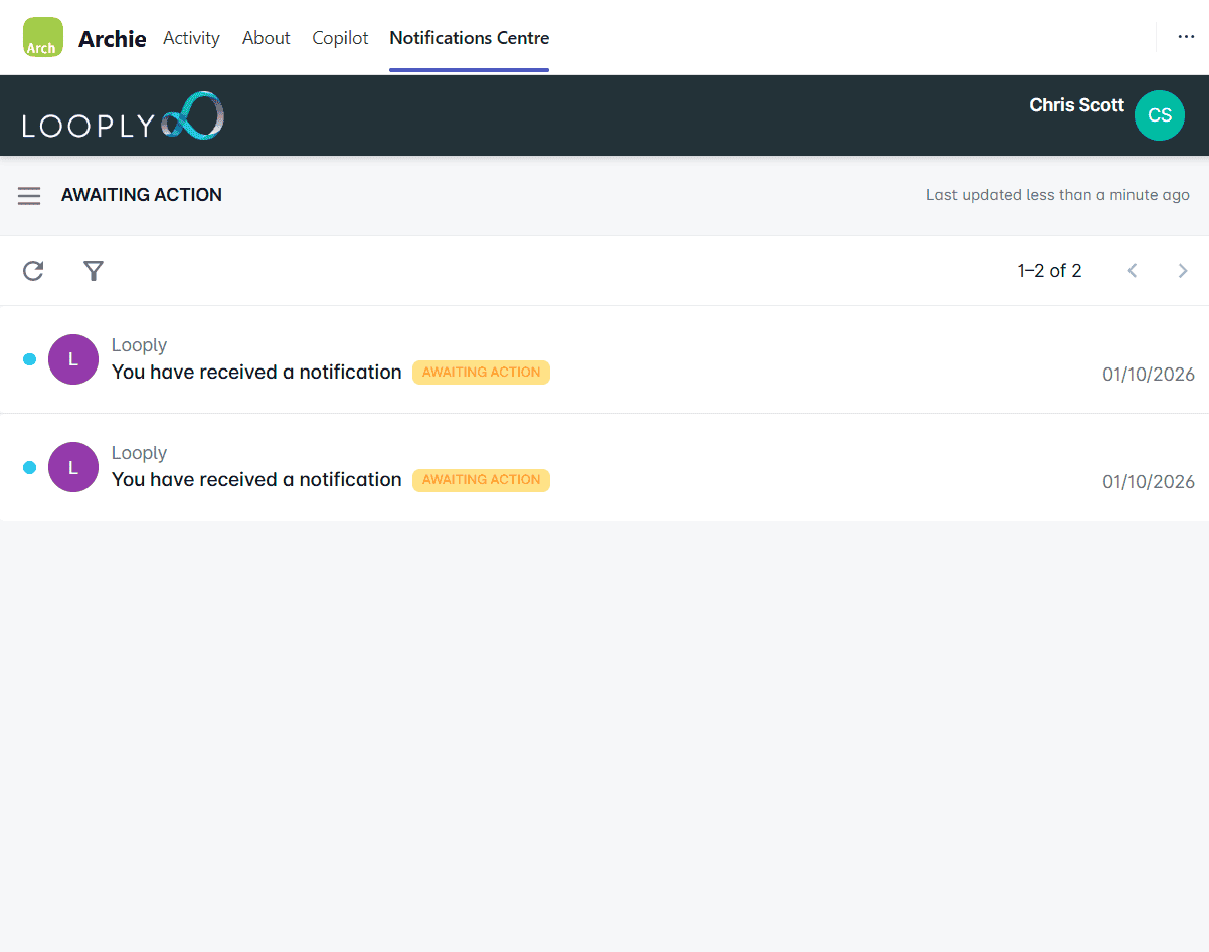
NOTIFICATIONS CENTRE
Keep track of what happened
Give users visibility of notifications, outstanding actions and previous activity in one place.
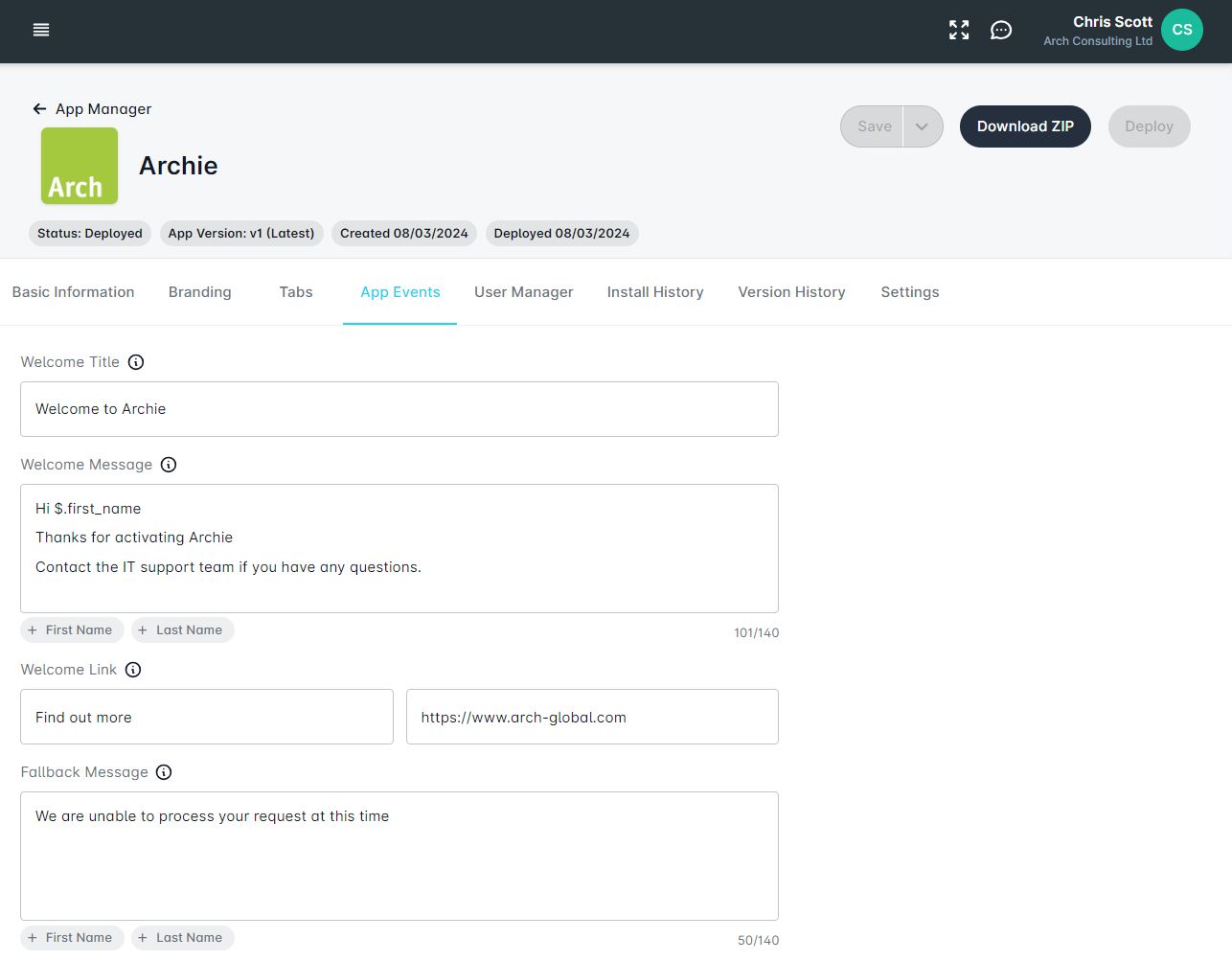
APP MANAGER
Control the Teams experience
Manage Teams apps, branding, deployment and the user experience for different communities.
BETTER DECISION CONTEXT
Don’t just move the approval. Improve the decision.
Looply can bring together the information a user needs before asking them to act — from SAP and, where useful, from other enterprise systems.
Bring the context together
Combine transaction data, history, supporting documents and other relevant information in one Teams experience.
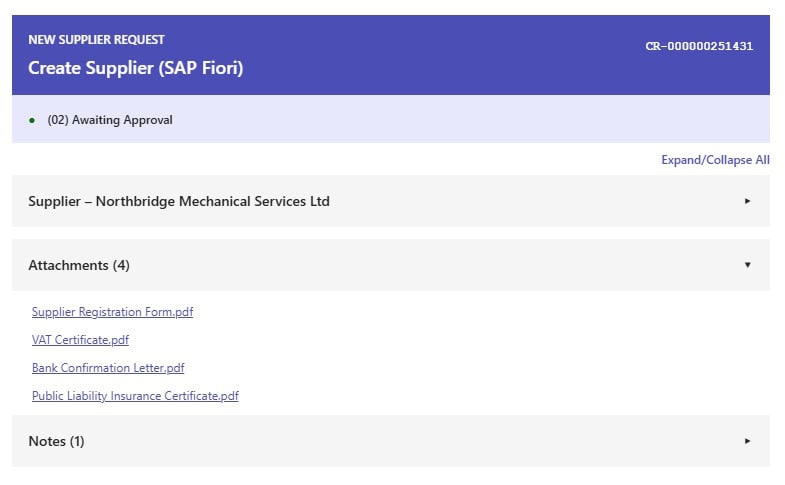
Show the right level of detail
Present a concise summary first, with detailed information available when the user needs to drill deeper.
Add intelligence where it helps
Use AI where appropriate to summarise information, highlight exceptions or surface relevant risks before a decision is made.

DESIGNED FOR SAP LANDSCAPES
Extend the experience. Keep the core clean.
Looply is designed to complement existing SAP architecture. SAP remains the system of record, while Looply provides the interaction layer that brings business processes into Microsoft Teams.
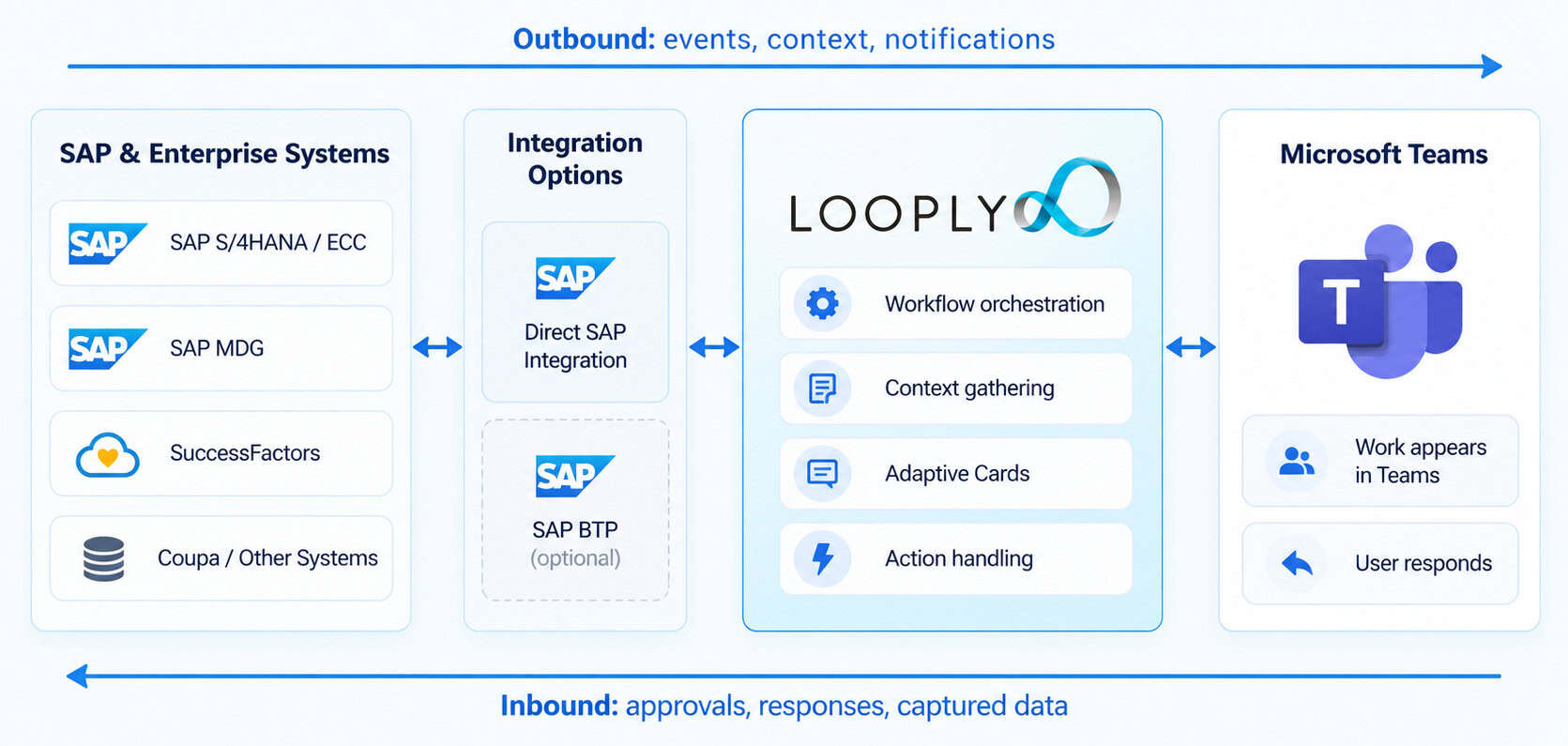
SAP stays the system of record
Existing SAP business logic, workflow and controls can continue to govern the process.
Clean-core approach
Use supported integration patterns without modifying SAP standard code.
SAP BTP supported
Route integrations through SAP BTP where this fits the enterprise architecture.
ECC and S/4HANA
Support ECC, S/4HANA and transition scenarios.
Enterprise identity
Use Microsoft Entra ID and existing enterprise identity patterns.
Multi-system processes
Bring together context from SAP and other enterprise systems.
CUSTOMER STORIES
How customers are using Looply.
From high-volume HR processes to subcontractor approvals, customers are using Looply to make SAP business processes easier to act on and easier to manage.
PUBLIC SECTOR
High-volume HR processes brought into Teams
Sunderland City Council uses Looply to support high-volume HR processes including time-related payments, leave and expenses, giving managers a simpler way to act in Microsoft Teams.
“Looply will change the way we work… staying in one communication channel, saving managers time and effort.”
David Freeman, IT Solutions Manager
INFRASTRUCTURE & ENGINEERING
Subcontractor approvals with better visibility
Amey used Looply to support subcontractor request approvals through Microsoft Teams, improving process visibility and reducing reliance on manual intervention.
“The entire process is more fit for purpose, automated and saves a lot of time that would have normally been spent on a more manual process.”
James Thorley, Commercial Manager
GETTING STARTED
Start with one process. Prove it. Expand.
Begin with a well-defined SAP business process, get it working in Teams, measure the impact, then extend Looply into other areas.
1
Discover
Choose the process, understand the current workflow and define the Teams experience you want to create.
2
Connect
Configure Looply, Microsoft Teams and the relevant SAP or enterprise integrations.
3
Build & test
Configure the workflow and Adaptive Cards, then test the end-to-end process with realistic data.
4
Launch & expand
Go live with the first process, review adoption and outcomes, then identify the next opportunity.
Arch supports the process from initial scoping through integration, testing and go-live.
FAQ
Common questions about Looply
Does Looply replace our existing SAP workflows?
No. Existing workflows can remain in SAP S/4HANA, on SAP BTP, or in other systems. Looply delivers tasks into Teams without requiring workflow redesign or duplication.
Do we need SAP BTP?
Looply supports different integration architectures. SAP BTP can be used where customers want it to provide the integration or security layer between SAP and external services.
Does anything need to be installed in SAP?
Arch provides an ABAP Add-on, which is the SAP-certified component. This enables easier integration between the SAP core and Looply.
Does Looply support SAP ECC and SAP S/4HANA?
Yes. Looply supports both and can also be used during transition phases where the two landscapes coexist.
Does Looply require users to leave Teams?
No. Users can complete approvals entirely within Teams unless deeper review in SAP is required.
Are approvals being done outside SAP?
Users act through Teams, but decisions are recorded, governed and audited in SAP. Teams is the interaction surface; SAP remains the authority.
Can Looply be introduced during an S/4HANA transformation?
Yes. Looply can be introduced incrementally, process by process, without expanding the transformation scope.
START WITH ONE PROCESS
Which SAP process would you bring into Teams first?
Show us a process that currently depends on people checking SAP, following email notifications or moving between applications. We’ll show you what that experience could look like with Looply.