




Streamlining work with a Universal Inbox
Teams Chat as a practical universal inbox
A universal inbox is usually imagined as a table: one row per task, with filters, statuses, due dates and links.
Teams Chat offers a different model.
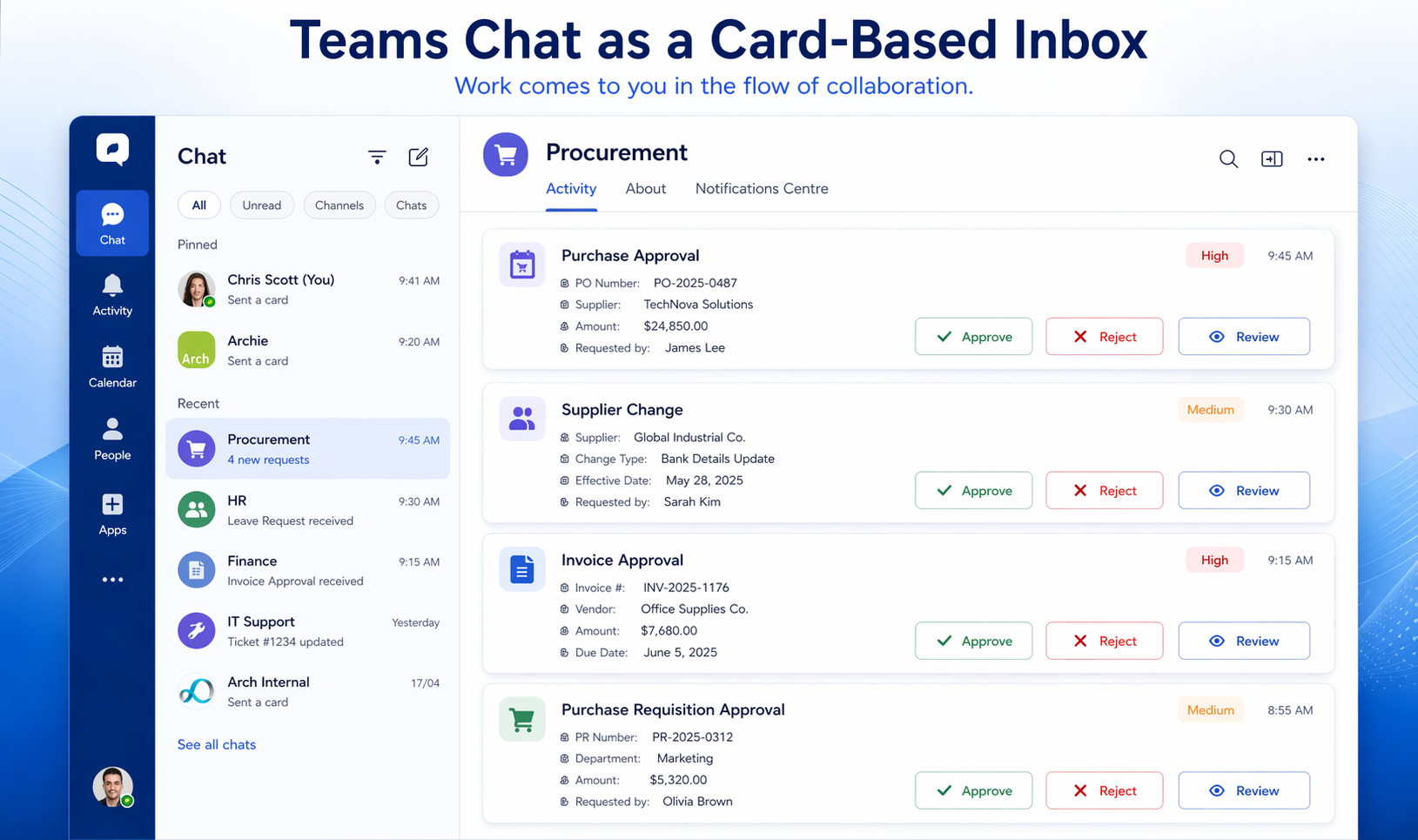
In Teams, each work item can appear as an Adaptive Card. The card can show the most important information, present the available actions, and include links to the source system where deeper review is needed. The conversation around the task can happen in the same environment where the notification arrives.
Work can also be grouped naturally. Procurement approvals can arrive through one Looply app or chat. HR approvals can arrive through another. Finance approvals, supplier changes, service requests or compliance tasks can each be organised in a way that makes sense to the business.
This gives users a practical version of a universal inbox without forcing them into another task table.
Instead of opening a separate app to discover whether anything is waiting, the manager is notified when a new item arrives. Instead of searching across systems, the work appears in Teams. Instead of relying on email, the task is presented as a structured card with actions.
Looply Notifications Centre adds another important layer. It provides a central place where users can track notifications, check statuses and find previous items without scrolling endlessly through chat history. Looply Notification Centre provides a way to bring actions, alerts and history into one easy-to-navigate space, reducing the risk of incomplete tasks and improving process transparency.
This means Teams Chat can serve two purposes at once: It acts as the notification channel when new work arrives, and, with the Notification Centre, it gives users a structured way to review what has been sent, what has been actioned and what still needs attention.
The manager experience
The most important test is not technical elegance. It is whether the solution fits the way managers actually work.
Budget holders, line managers and senior managers spend their day in meetings, calls, chat, documents and decisions. They are not usually workflow specialists. They are not likely to spend their day inside BTP. They may not want to open a custom inbox app. They may not remember to ask an AI assistant whether something is waiting. They may not trust email to show the full picture.
But they are already in Teams.
That makes Teams a natural place to deliver enterprise work. It is where managers are already discussing budgets, suppliers, projects, resources and decisions. It is where meetings happen. It is where urgent messages are noticed. It is where mobile access is familiar.
This is the strength of the Looply approach. It does not ask managers to adopt a new work queue. It brings the approval or task into the collaboration flow they already use.
The practical benefit of a universal inbox, without another place to check
The universal inbox idea is valuable because it recognises a real problem: enterprise work is fragmented.
But the danger is that organisations respond by creating yet another place managers must remember to check.
For some users, a traditional task inbox will be appropriate. Specialist users who work in SAP, procurement, HR or finance systems all day may prefer to manage work in the source system or in a central work queue. But occasional approvers are different. They need the work to reach them.
Looply’s approach is to combine the practical benefits of universal task access with the immediacy of Teams-based delivery.
Where a source system can push a workflow event, Looply can use that event.
Where a source system cannot push work out, Looply can use polling to discover new or changed work items.
Where user identities differ across systems, mappings can connect source-system users to Microsoft Teams users.
Where the manager needs to act, Looply can deliver an actionable Adaptive Card.
Where the manager needs to review previous items, the Notifications Centre provides a structured view.
The result is not a traditional universal inbox. It is a Teams-based work surface.
Don’t make managers search for work
The universal inbox is a useful concept, but it should not become the goal in itself.
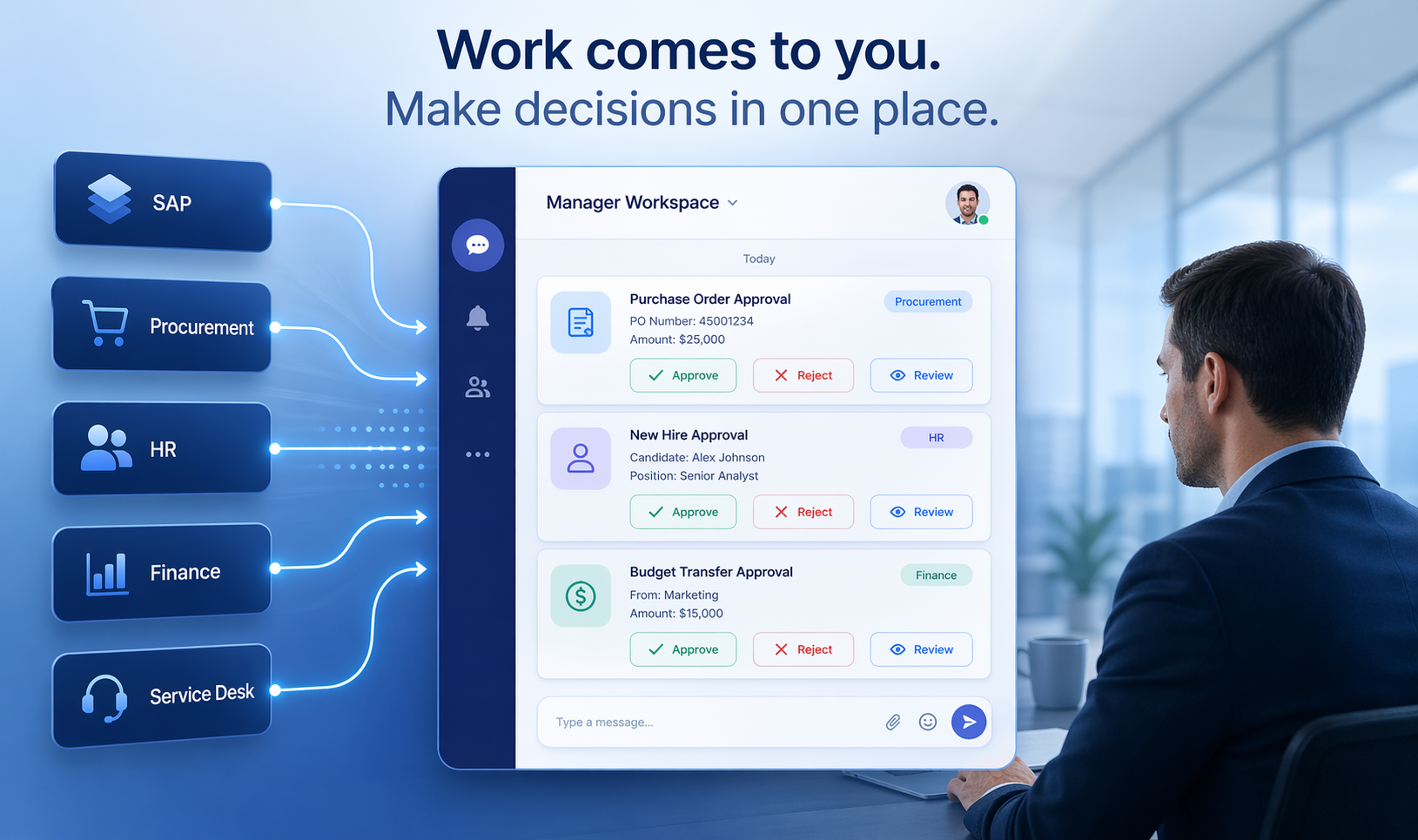
The real goal is to reduce missed work, delayed approvals, unnecessary context switching and over-reliance on email. For managers, the best experience is not another inbox, portal or chatbot. It is work arriving in the place where they already spend their day.
That is why Teams Chat is such a powerful model.
A traditional inbox helps managers find work, whereas Looply helps work find managers.
By combining workflow integration, polling where necessary, user mapping and actionable Teams cards, Looply gives organisations a practical way to bring enterprise approvals and tasks into Microsoft Teams. Managers do not have to keep checking multiple systems. They do not have to rely on email. They do not have to open yet another work queue just to see whether something needs attention.