


Bringing GRC actions into Microsoft Teams
SAP GRC Finds the Risk. The Business Still Has to Act.
Bringing GRC actions into Microsoft Teams
Microsoft Teams has become the place where many business users already coordinate work. For managers and process owners, it is often a more natural place to receive a time-sensitive action than a specialist application they only use occasionally.
We don’t need to reproduce the full GRC application inside Teams. The benefit is to bring the required business step into a channel where the user is already active.
That makes the process more responsive. The user does not need to search for a task, remember to check another inbox or wait until they are back at a desktop session. They can see that action is required, understand the request, and respond from Teams on desktop or mobile.
For the GRC team, this can reduce the amount of manual chasing needed to keep work moving. For the business user, it makes participation easier. For the process as a whole, it helps reduce the number of items that remain open simply because they were not seen or prioritised.
Faster completion, fewer lost actions
The practical benefit is simple: fewer tasks waiting unnoticed, fewer reminders from the GRC team and faster movement from request to outcome.
This matters most where the workflow depends on occasional participants. A security analyst may process GRC tasks every day. A line manager may only see one once a month. That manager is much more likely to respond quickly if the task appears in the same collaboration environment they already use throughout the day.
That makes the process more responsive. The user does not need to search for a task, remember to check another inbox or wait until they are back at a desktop session. They can see that action is required, understand the request, and respond from Teams on desktop or mobile.
When a task has been completed, we need to ensure the notification is updated so that users are not left with old approval requests or outdated messages. That is especially important in access governance, where users should not be encouraged to act on information that is no longer current.
The result is a cleaner process experience. The task is visible, the response is captured, and the user can move on.
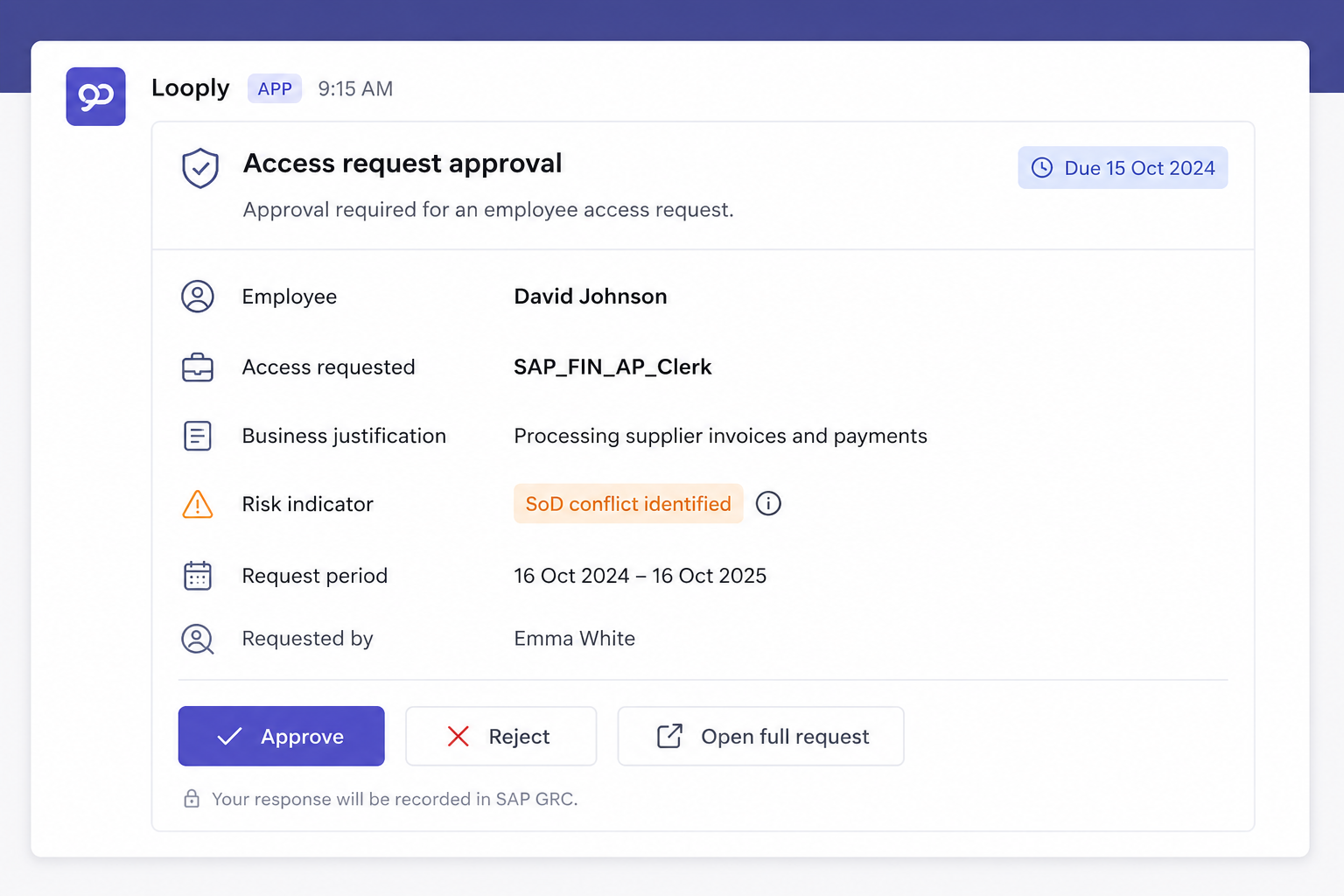
SAP GRC-related actions are received in Teams, delivered by Looply, as focused, actionable notifications. A manager approving an employee’s access request can receive the request in Teams with the relevant business context. A role owner can be alerted when their input is needed on a role-related approval. A control owner can be asked to confirm a mitigation or review task. An overdue item can be escalated to the appropriate owner or backup approver.
Looply improves that experience by meeting users where they already work, in Teams.
This is not just a convenience point. A smoother user experience helps the formal process work as intended. When people can complete their part quickly and clearly, the whole governance cycle becomes easier to manage
A better experience for managers and business owners
Access governance depends on cooperation from the business. If the process is hard for managers and owners to engage with, the GRC team has to compensate with reminders, explanations and manual follow-up.
Looply improves that experience by meeting users where they already work. A manager does not need to become a regular GRC user to approve an access request. A control owner does not need to hunt for a review item. A process owner does not need to wait for a separate reminder before responding to an escalation.