



Accelerating SAP MDG Processes with Microsoft Teams
Accelerating SAP MDG Processes with Microsoft Teams
Master data governance is only effective when the right people participate at the right time.
SAP Master Data Governance provides the structure needed to manage critical master data in a controlled way. It manages change requests, validations, workflow steps, approvals, activation and distribution. Whether the process relates to a supplier, customer, material, cost centre, GL account or business partner, SAP MDG helps organisations protect the quality and consistency of the data on which their business depends.
But governance still depends on people.
A change request may need input from a data steward, finance approver, procurement lead, risk owner or business manager. Many of these people are not full-time MDG users. They do not spend their working day monitoring MDG worklists. They are busy in meetings, emails, Microsoft Teams conversations and other business systems.
That is where delays often begin.
The process may be perfectly controlled inside SAP MDG, but if the next participant misses an email, postpones logging into SAP, or needs to be chased manually, the change request stalls. The issue is not the governance model itself. The issue is how easily people can participate in that governance process.
This is where Looply can add value.
Where Looply fits
Looply does not replace SAP MDG. SAP MDG remains the system of governance and the controlled backend of record.
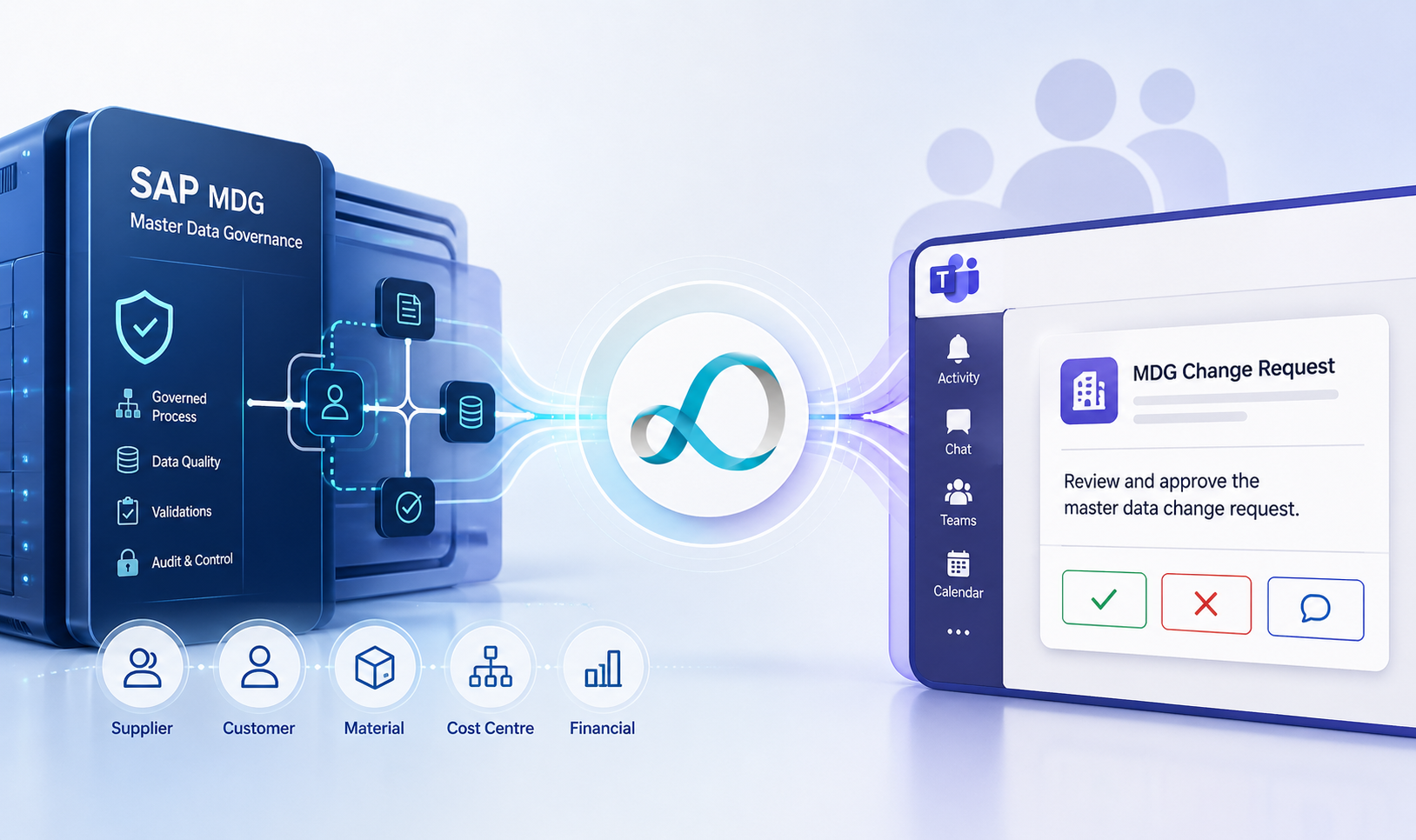
Looply adds an engagement layer by taking an actionable MDG workflow step and presenting it in Microsoft Teams as an Adaptive Card. That card can show the key master data context, highlight what has changed, provide a link back to SAP MDG where detailed review is needed, and allow the user to approve, reject, request clarification or add comments directly from Teams.
The core idea is simple:
SAP MDG controls the governance process. Looply brings the moment of action into Microsoft Teams.
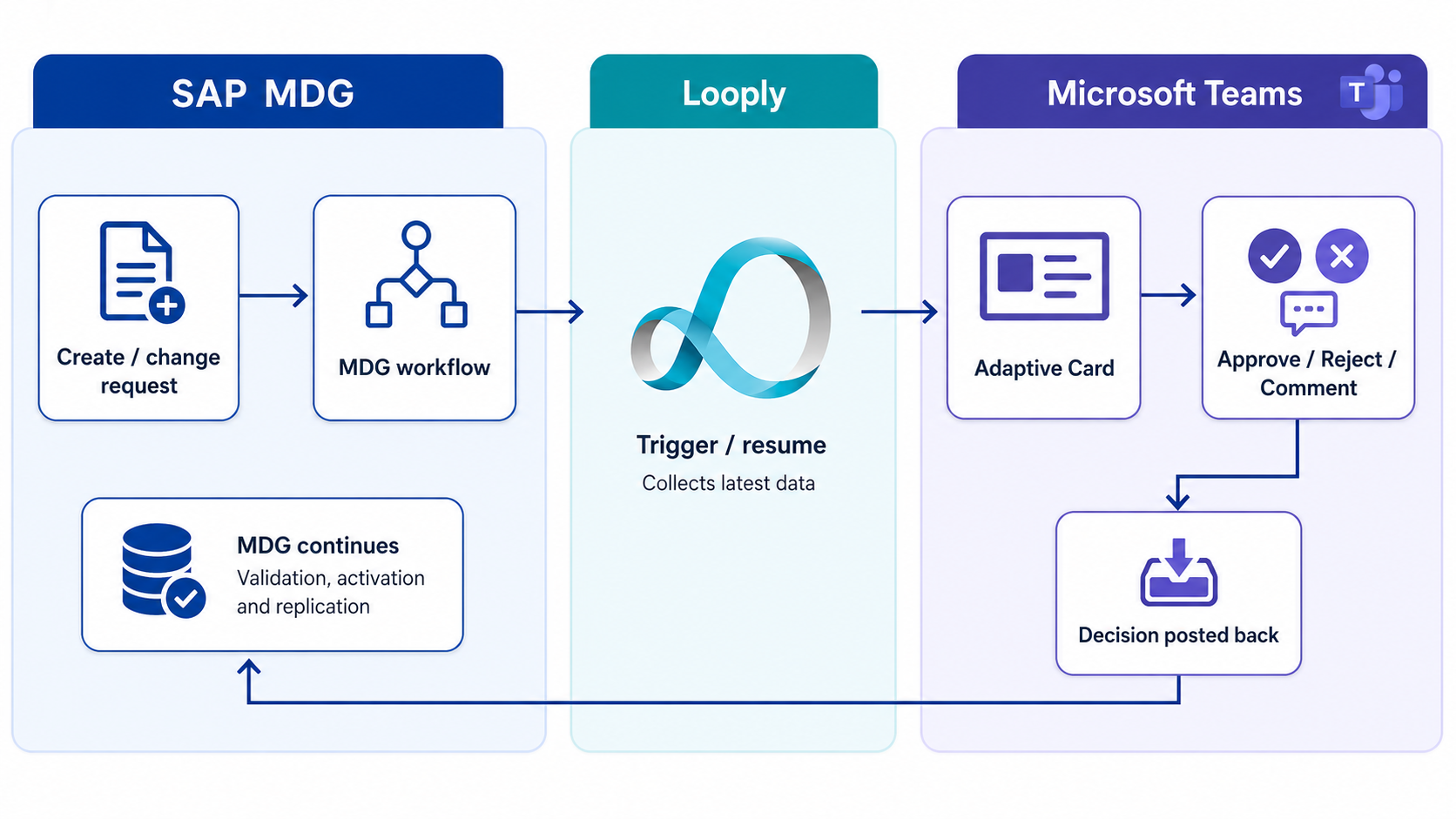
This means organisations can keep the strength of SAP MDG while making the process easier for business users to engage with. MDG continues to control the change request, workflow state, validation, activation and replication. Looply helps the right person see the right task, with the right context, in the place where they are already working.
Why this matters for master data governance
Master data governance is not only a data management discipline. It is a cross-functional business process.
A supplier onboarding process may involve procurement, finance, compliance and tax. A material creation process may need input from purchasing, production, quality, logistics and finance. A cost centre or profit centre change may require approval from controlling or finance. A business partner change may need commercial, credit or risk review.
In each case, the process depends on timely participation from people who may not think of themselves as MDG users.
This is one of the practical challenges of enterprise governance. The more robust the process becomes, the more likely it is to involve people from across the business. Those people need enough context to make a good decision, but they should not need to become expert MDG users just to approve a familiar business change.
By bringing selected MDG actions into Microsoft Teams, Looply helps make governance more accessible without weakening the controls that make MDG valuable.
Example MDG processes where Looply can add value
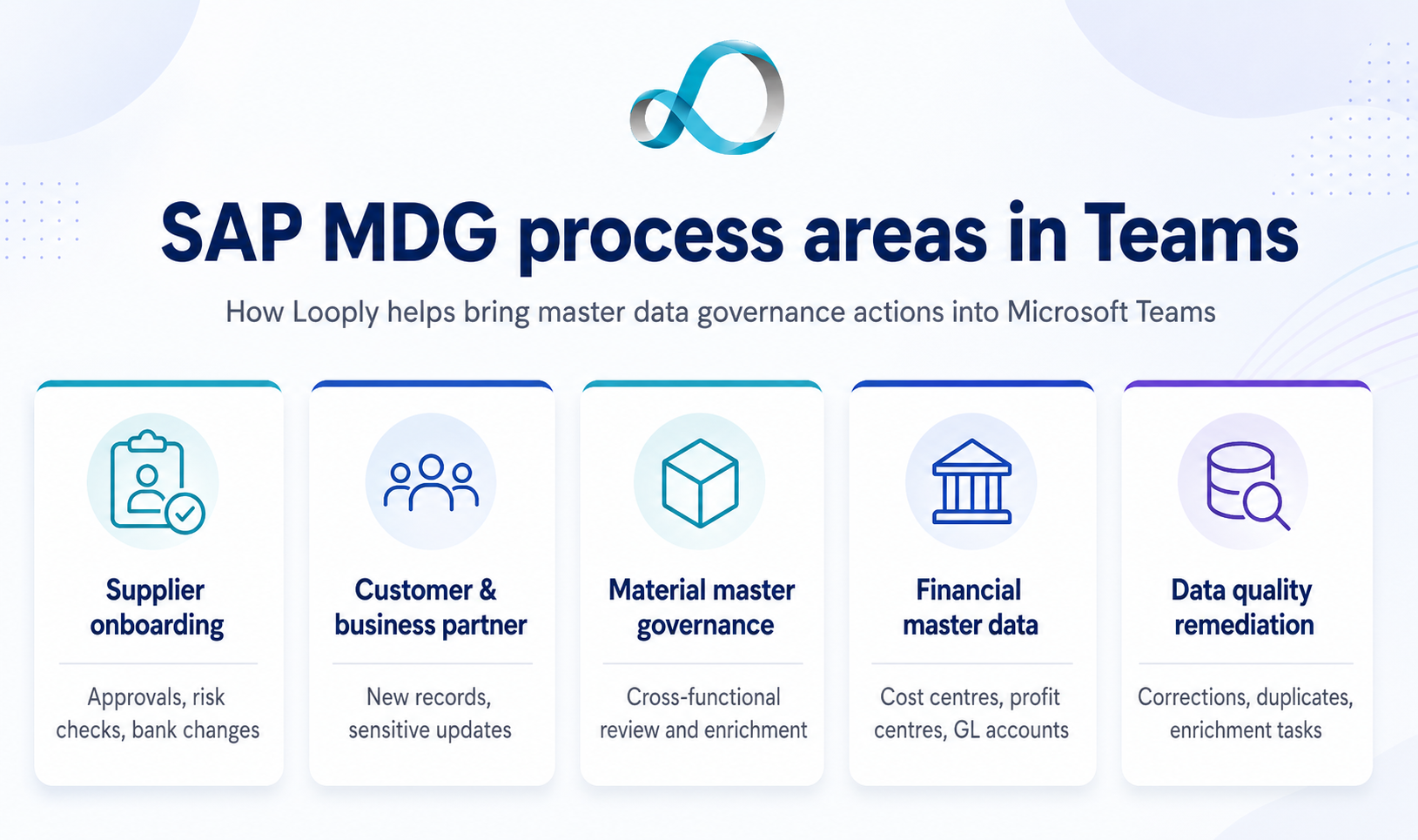
For supplier onboarding, Looply could notify category managers, procurement leads, finance approvers or risk owners when a supplier creation or change request needs their input. The Teams card could show the supplier name, country, purchasing organisation, payment terms, bank change indicators, tax details, risk score, duplicate warnings or missing data indicators.
For customer or business partner governance, Looply could route approvals for new customers, credit-related changes, address changes, tax classification updates or sensitive business partner amendments. The value is in surfacing enough context for a quick decision without forcing an occasional approver through a full MDG UI journey.
For material master governance, Looply could support cross-functional approvals involving procurement, production, quality, logistics and finance. A material creation request could trigger a Teams card showing the material type, plant, valuation class, purchasing group, base unit of measure, MRP relevance and any incomplete mandatory fields.
For financial master data, such as cost centres, profit centres, GL accounts or company code extensions, Looply can support finance approval steps by presenting the proposed change, business justification, effective date, affected company codes and audit-relevant comments.
For data quality remediation, Looply could notify data owners when MDG identifies records requiring correction, enrichment, duplicate review or approval. Instead of remediation tasks sitting in a specialist inbox, Looply can push them to the responsible owner in Teams.
The pattern is the same in each case. SAP MDG governs the process. Looply helps the user participate in that process quickly and effectively.
The value Looply adds to SAP MDG
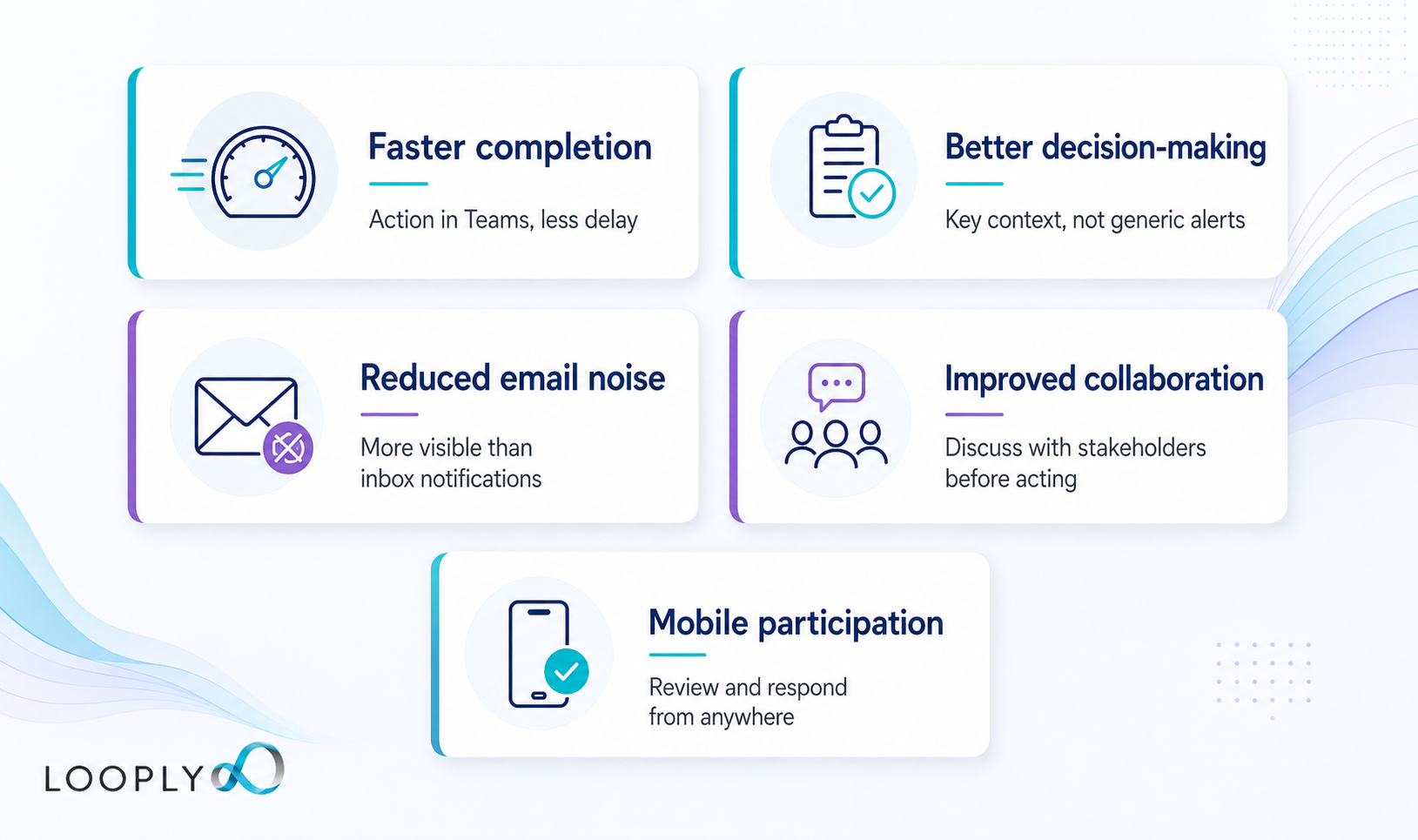
The most immediate benefit is faster completion of MDG change requests.
MDG workflows often depend on people outside the central master data team. If those people miss emails, delay logging into SAP, or wait until they are reminded, the master data process slows down. Looply puts the request where users are already working and makes the action easier to complete.
The second benefit is better decision-making.
A well-designed Teams card can present the information that matters most: what changed, why it matters, who requested it, which validation warnings exist, and what business impact the change may have. That is far more useful than a generic workflow notification.
The third benefit is reduced email noise.
Governance steps are important, but they are not always urgent enough to stand out in a crowded inbox. Email notifications can be overlooked, buried or treated as passive information. A Looply card in Teams is more visible, more actionable and better suited to the way many users now work.
The fourth benefit is improved collaboration.
Some MDG decisions are not simple yes/no approvals. A supplier bank change, a high-risk supplier, a duplicate business partner or a material extension may require discussion. By placing the task in Teams, Looply makes it easier for the approver to discuss the issue with procurement, finance, compliance or the data steward before acting.
The fifth benefit is mobile participation.
Many MDG approvers are managers or business owners who may not be at their desk or logged into SAP when a task arrives. Teams on mobile gives them a practical way to review and respond quickly, while SAP MDG remains the controlled system of record.
Example: cost centre approval in SAP MDG and Teams
To show the concept in practice, we built a demonstration using a cost centre creation process in SAP MDG.
In this example, a user creates a new cost centre request in SAP MDG. The request is enriched with additional information, routed for approval, and then completed through the governed MDG process. Looply extends the process by bringing the approval step into Microsoft Teams.
The process starts in SAP MDG, where a new cost centre change request is created. Looply then sends a Teams card showing the change request and key details. The user can open the change request in SAP where further review or enrichment is needed.
The processor then adds further information to the change request, such as text, description, business area and profit centre, before finalising processing. At that point, Looply replaces the previous Teams card with a new one that reflects the latest state of the process.
The approver can then act from Teams. They can reject the request and add a comment, or approve the request so that the MDG process can continue. SAP MDG remains in control of the workflow, status changes, activation and replication. Looply simply makes the approval step easier to see, understand and complete.
This is an important distinction. The approval is not happening outside the governance process. The Teams interaction is part of the governed process.
Why this is different from sending an email
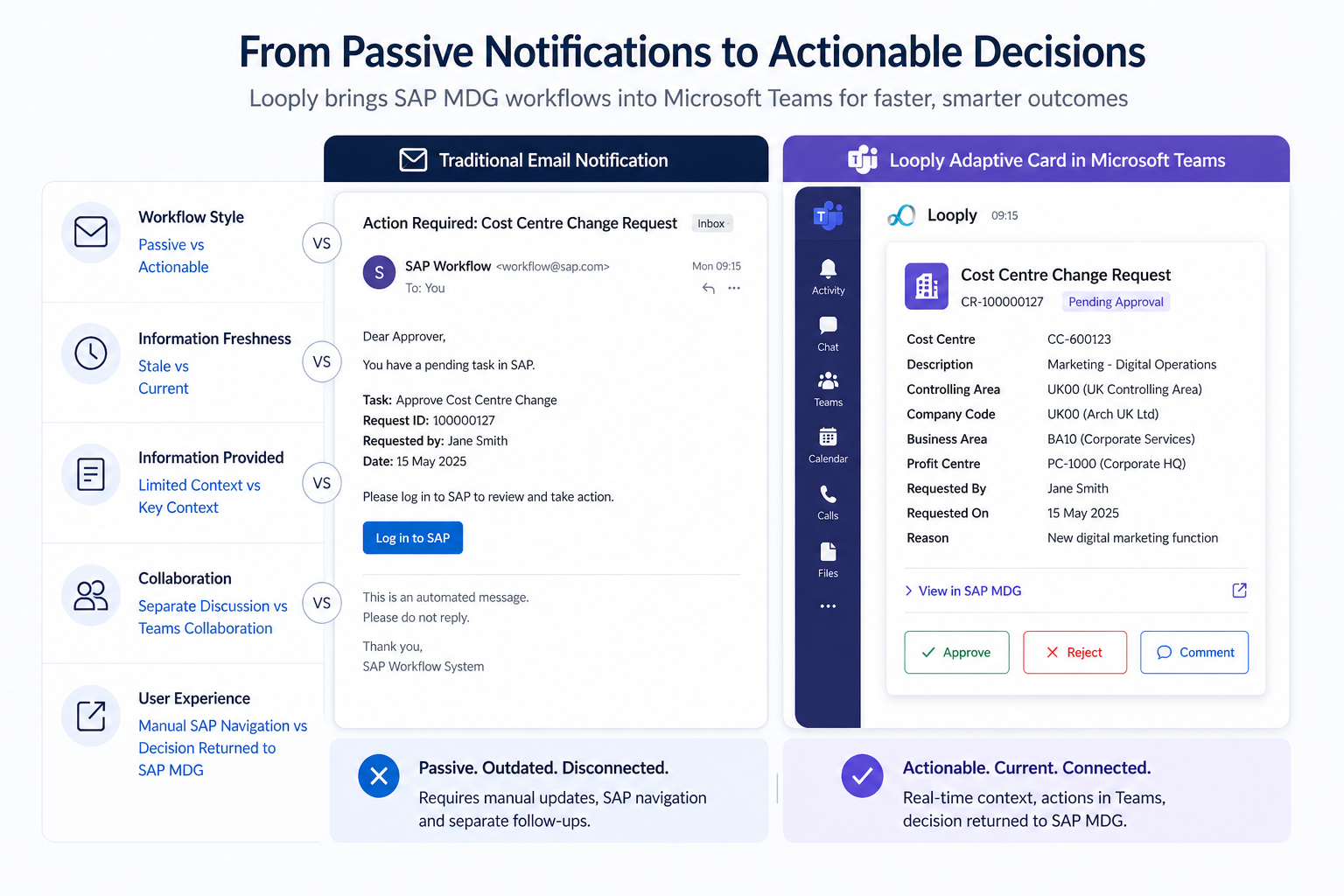
Many SAP workflows can already send email notifications. But a Teams-based interaction through Looply is different from a traditional workflow email.
An email tells someone that there is work to do. A Looply card helps them do the work.
An email can become stale. A Looply notification can be updated, replaced or removed as the MDG process moves forward.
An email often sends the user back into SAP with limited context. A Looply card can show the key fields needed for the decision, with a link back to SAP MDG where more detailed review is required.
An email creates separate conversations. Teams allows discussion to happen in the same collaboration environment where the task is presented.
This is particularly useful for master data governance because many decisions need context. The approver may need to understand why the change has been requested, what has changed since the previous step, whether any warnings have been raised, or whether other stakeholders have commented. Teams provides a natural place for that discussion.
Keeping SAP MDG in control
For this kind of integration to be valuable, it must not undermine the governance model.
Looply is designed to complement SAP MDG, not bypass it. At a high level, Looply can be triggered from the SAP MDG workflow. It can collect the latest change request data, send an Adaptive Card to Teams, and then post the user’s decision back into SAP MDG.
SAP MDG continues to control the workflow. It remains responsible for validations, status changes, approval logic, activation and replication. The master data record is still governed by MDG. The audit trail still belongs to the governed process.
Looply improves the way users interact with that process.
This matters because organisations do not implement MDG simply to move tasks around. They implement it to protect the quality of critical master data. Any extension to Teams must preserve that control. Looply’s role is to make controlled participation easier, faster and more visible.
Broader opportunities
Although the demonstration focuses on cost centre creation, the same pattern can apply to many other MDG processes.
Supplier onboarding can be accelerated by involving procurement, finance and compliance approvers directly in Teams. Customer or business partner changes can be routed to commercial or credit teams with the right context. Material master creation can involve the relevant functions without requiring every approver to monitor MDG directly. Financial master data changes can be presented to finance users with the business justification, affected company codes and approval options clearly visible.
The same approach can also support remediation processes. If a data quality issue needs review, correction or approval, Looply can push that task to the responsible data owner. This helps move data quality work out of specialist backlogs and into the flow of everyday business activity.
Governance in the flow of work
SAP MDG provides the governance framework that protects master data quality. It gives organisations the control they need over the creation and change of critical business data.
But governance is only effective when people participate. If the process depends on occasional users finding tasks in an inbox, logging into SAP, navigating to the right change request and understanding what to do next, delays are inevitable.
Looply helps bring SAP MDG processes into the flow of everyday work.
By presenting MDG change request actions in Microsoft Teams, Looply gives approvers and business users the context they need, in the place where they are already working. Users can review, discuss and act more quickly, while SAP MDG continues to control the governed process.
The result is a practical balance: strong governance in SAP MDG, with easier participation through Microsoft Teams.
SAP MDG provides the governance. Looply improves the participation.